Privacy
Is it safe to share your running route? How to hide your start and finish
Learn how to share your running route without showing where you live. Five steps to hide your start and finish, plus what RaceTale and Strava do.
You can share your running route safely if you hide where it starts and ends. Many runs begin at the front door, so the first and last few hundred metres of a map can point to your home. Hide those parts and share with people you know, and a route becomes a safe way to tell the story of your race.
Here is why the ends of a route matter, how to hide them and what to check before you post.
Why share your running route at all?#
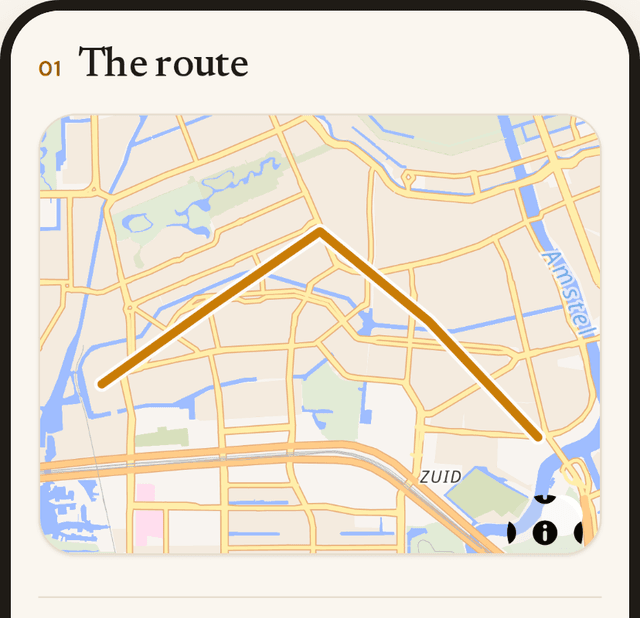
A route is the backbone of a race story. It shows where the hills hurt, where your family waited and where you finally kicked for the line. So friends love it, and a map next to a finish time tells the day better than numbers alone.
However, a route is also a list of coordinates. The first and last points tell the most, because they show where you began and where you stopped.
Can someone find my home from a running route?#
They can, if the map shows the true start and end of a run from your door. A loop that begins at your house also ends there, so both ends mark the same spot. A race route is usually safer, because a start line in a city centre says nothing about where you live. Even so, a warm-up jog from home can sit in the same file.
The same goes for photos. If you want the full picture, read what GPS in photos reveals.
How do I share my running route safely?#
- Hide the start and end. Strava calls this Map Visibility. It hides the start and end of your maps from other athletes, and its example is the first and last 200 metres. It can also hide a radius around an address.
- Check each service on its own. Strava says the setting does not apply to other services that receive your activities. So look at the settings of every place you share.
- Trim a warm-up from home. A GPX file is a plain list of points, so an editor can cut the ends before you upload it.
- Share by a private link, not on a public page. Then you can turn the link off later.
- Keep the original file for yourself, with every point in it.
Remember that hiding the ends is not perfect. Someone could still guess a place from other clues, such as a photo or a post that names your street.
How does RaceTale help you share your running route?#
A RaceTale story is private by default. Only people with the link can open it, nobody can guess the address, and search engines are told to skip it. You can revoke the link, or delete the whole story, whenever you like.
You can also hide the first and last 200 metres of your route. RaceTale trims those points before the story shows the map, so friends see the race and not your doorstep. Every public picture also loses its GPS data. To see how it all fits together, read how to make a race story.
Frequently asked questions#
Is it safe to share my running route?#
It is safe if the start and end are hidden and you share only with people you trust. A route that starts at your door is not safe to post in public.
How far should I hide at the start and end of a route?#
Two hundred metres is a common starting point. If you live on a long road or in a small village, hide more. Strava also lets you hide a radius around an address.
Does hiding the start and end hide my home completely?#
Not always. Other details, such as a photo or a caption, can still give a place away. So think about what else the post shows.
Can I share my running route without making it public?#
Yes. Share by a private link instead of a public page. A RaceTale story works this way, and you can revoke the link at any time.
Can I delete a route after I share it?#
On RaceTale you can. Delete the story and everything in it goes, including the stored files.